Zephyr Hill

A Family Blog

Header Menu

  • Home
  • Contact Me
  • Terms / Privacy
  • Homeschooling
  • Faith and Family
  • Book Reviews
  • Cloth Diapers
  • Pets

Educational Games to Enjoy With Your Children

May 14, 2026 by Anne Marie 18 Comments


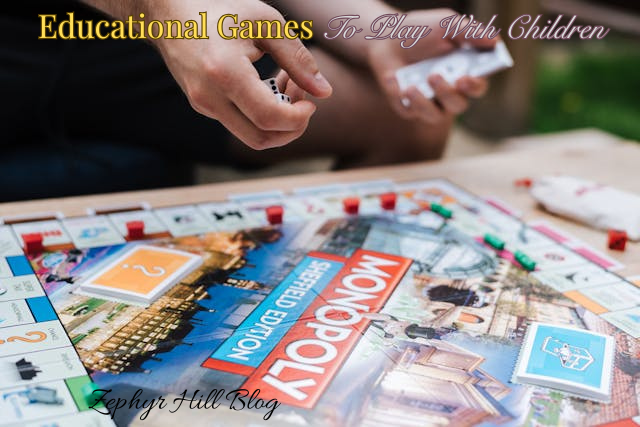
“Mama, please play a game with me!” This is something that parents hear a lot, and we might put it off because the thought of a “kids game” seems quite boring and simplistic. But here’s how to break out of that mindset and have some fun with your children.

Try Something New

There are some really cute games out there for children that can also be enjoyable for adults. One of our favorites is called Animal Bingo, and it’s for made for children ages 2 and up. Quick to learn and relaxing to play, it will only take up about 10-15 minutes of your time. That’s doable for any busy parent.

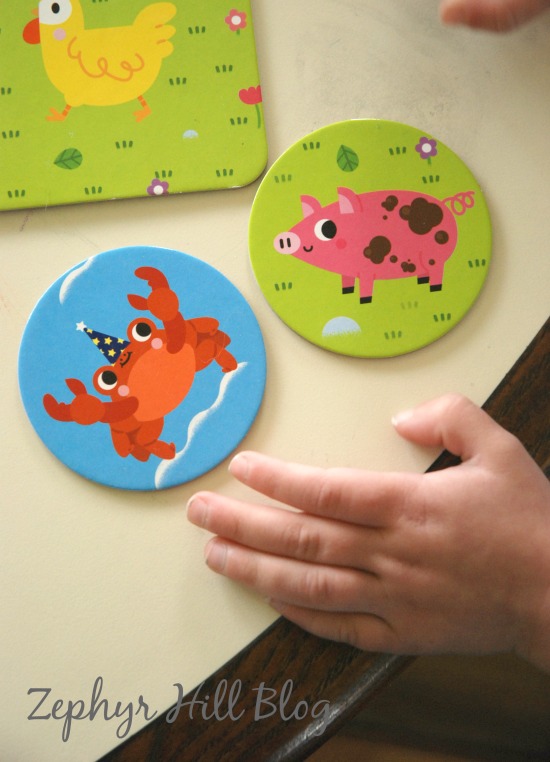
The game includes 6 durable habitat boards and 6 sets of round animal cards. Each player picks a habitat to play with, just as you would choose a bingo board, and the object of the game is to collect the 4 creatures that live in your habitat. We like to stack up the pile of animal cards in the middle of the table, letting everyone take a turn picking one off the top. The card is placed on the matching habitat, and whoever fills his habitat first wins.  Play time runs about 10-15 minutes.
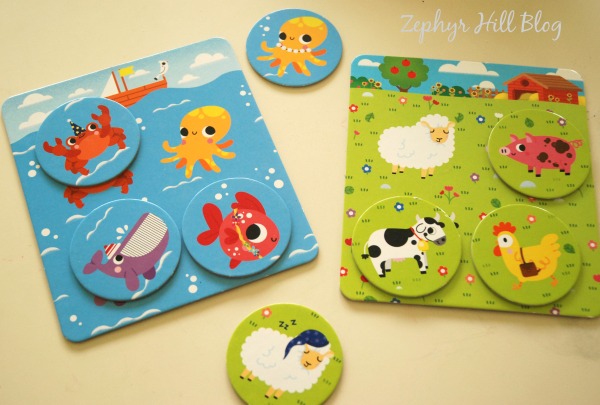
I’ve played many games over the years that were designed for children and they often suffer from fatal flaws like being too complex, or too boring, or sometimes just plain weird. Bad artwork is often a thing, too. Animal Bingo has none of the pitfalls of so many early learning games. The game pieces are vibrantly colored and oversized for little hands. The artwork is undeniably adorable. And you won’t spend a lot of time explaining rules to someone with a very short attention span. I actually found it a pleasure to play this game with my children, and that really says a lot! Their older siblings are eager to join in, too. Just last night we had players ranging from ages 3 to 10 and everyone had a grand old time.
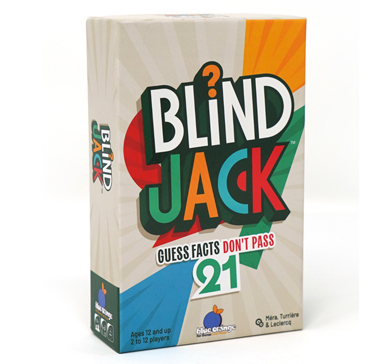
Another game that’s quick to learn but fun to play over and over with teenagers is Blind Jack from Blue Orange Games, where players must put their memory and trivia knowledge to work as they make estimated guesses and try to keep track of their opponent’s hand. With the ultimate goal being getting closer to 21, Blind Jack hones memory recall, estimating skills and general knowledge.
Here are some of our other favorites:

  • Sneaky Snacky Squirrel
  • Sushi Dice
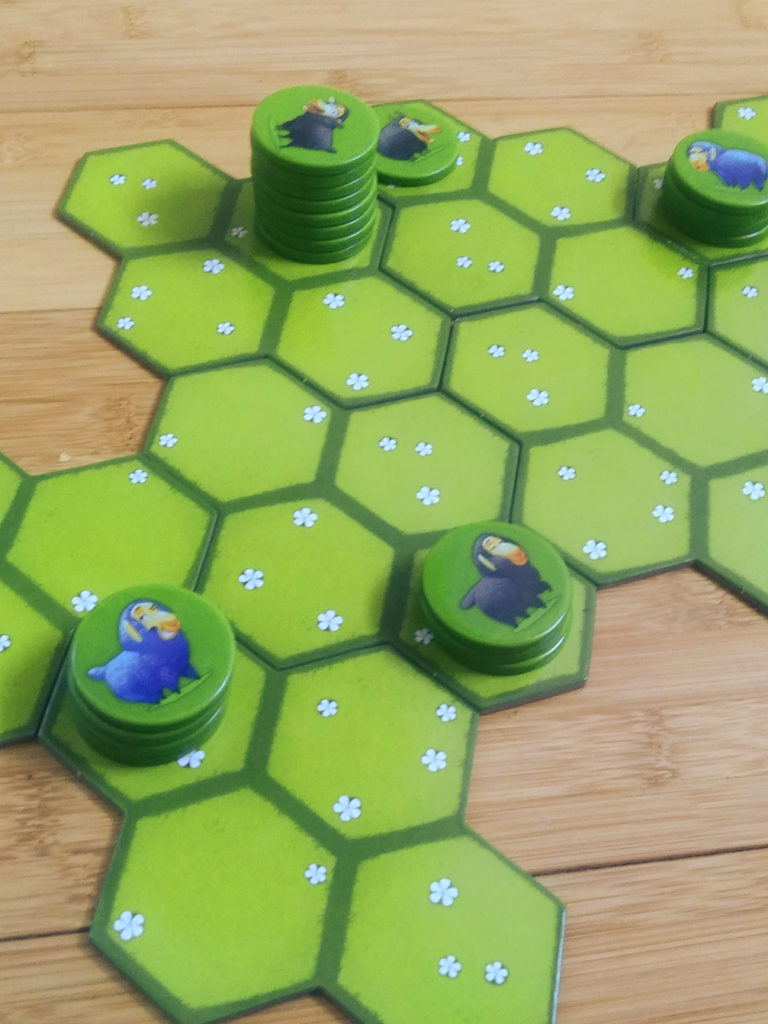
  • Battle Sheep (below)

Try Something Old

Think of a game you LOVED as a child and pull it out for nostalgia’s sake. You’ll have fun just because it’s so enjoyable to relive something with your own children.

Try some of these old favorites and see what your children think!

  • Hungry Hippos
  • Connect Four
  • Mancala
  • Operation

Try Something Online

Technology, used wisely and sparingly can be a learning and entertainment tool.

For example, sites like Culinary Tools have a wide variety of fun and educational games for all ages. Children can learn about cooking, healthy eating, letters and numbers, farming and running a business.

Our family loves to cook AND eat out, so I enjoyed letting my children try out the Cooking Fever game. It walks you through all the steps of food prep and serving, and then you have a goal for each round which gets harder and harder as time goes on.

There are also puzzles and logic games like Tetris and What’s Grandma Hiding? (a picture search puzzle in an old mansion). The graphics are really beautiful!

For more challenging online games that can boost learning at home, try these!

  • Planet Zoo (Steam)
  • Universe Sandbox (Steam)
  • Age of Empires or Civilization VI
  • Kerbal Space Program’s Rocket Simulator

What are your favorite games to play with children?

 

Filed Under: Home and Family Reviews, Homeschooling Tagged With: cooking games, educational games for children, games for children, online learning games, toddler board games

A Quick Look at the TickTalk 5 Smart Watch for Children

October 3, 2025 by Anne Marie Leave a Comment

How do you stay connected with your children and teenagers while also keeping them safe from predatory technology? The most basic solution is the home land line. This is a safe and reliable way to communicate, and it’s something many families are already paying for. But there are limitations. It can only be used at home, there’s no texting, and it’s easy to lose track of. And if the batteries die while you’re searching for the handset, your only hope at that point is Saint Anthony.

The flip phone or dumb phone is another option. Cheap and easy to use, there are no worries about internet access and children can utilize basic texting. What are the drawbacks? Texting is slow and clunky on a flip phone, and you have the same issue of batteries running down and someone losing the phone. And the clamshell mechanism on a flip phone is prone to breakage.

One of our friends is a policeman, and he was just telling me the other day that his sons wear smartwatches. Intrigued by this approach, I partnered with Lightspeed PR and TickTalk to give this option a test drive.

Let’s take a quick look at the TickTalk 5 Smartwatch.

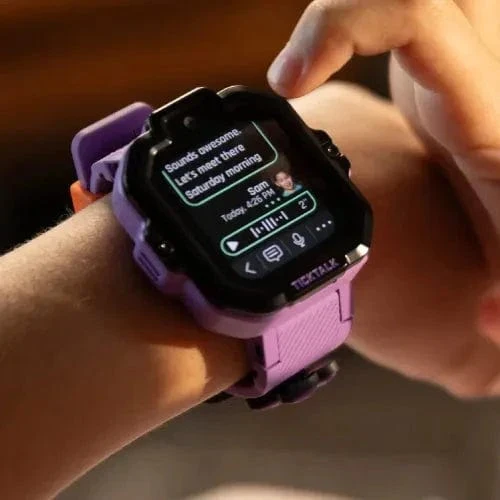
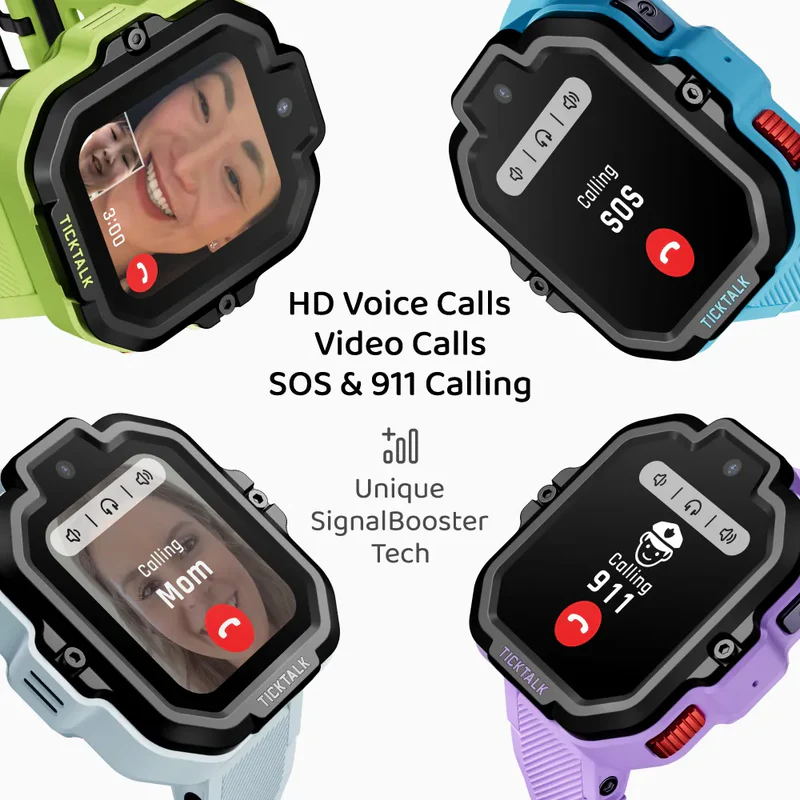
TickTalk 5 is a parent-approved smartwatch built just for children. It has no social media, no games, no browser and no content streaming. Instead, it offers useful features like GPS tracking, 2-way video calls, encrypted messaging, and a myriad of parental controls.

The Watch

There’s an obvious advantage to having your child’s communication device on his wrist; he’s much less likely to lose it! The TickTalk 5 has a durable build and comes in four stylish colors. The unit is blocky and a bit heavy, so it’s not comfortable on my younger children with their skinny little wrists. It fits my 12 and 14 year olds just fine, and they are main ones who use it.

Performance

Overall, coverage has been great, and we’re even in a rural area. We haven’t skated by without any quirks and hiccups, though. There appears to be a lag between my notifications (“you have a message”) and my receipt of texts. It’s by no means instant like my smart phone. We also discovered, after having the voice-to-text feature quit working completely, that we have to reboot the watch every day for a fresh start. Odd, but doable.

Like most technology solutions for children, parents must install an app on their end. To further protect children, TickTalk also requires that anyone who wants to text your child must also install the app and set up an account.* Some will find this an inconvenience. Or, if they use a flip phone or dumb phone with no app capabilities, they are out of luck. This is the case with their older brother who has a Gabb phone; they can’t text him at all using the TickTalk smartwatch.

The battery life on this smartwatch is superb and the cute little charger works fast to get the watch all ready to go again.

Oh, and it has a free iHeart radio family plan. My children were so excited about this feature; we are big music lovers!

* As of November 4, 2025, TickTalk has lifted the embargo! This update allows users to send and receive SMS text messages to or from any cellphone, even if friends or family don’t have the TickTalk app installed. 

Customer Service

As of now, there’s no online chat option with TickTalk. That’s the quickest and easiest way to get help when you’re in a bind, so I hope they’ll add this in the future. You can email, or try their phone number, but sometimes you have to leave a message if there’s no one to answer the phone. But everyone I’ve reached out to has been kind, helpful and patient, and all of our questions have been answered promptly.

Plans

TickTalk is a very affordable option. You can choose:

  • Basic Plan for $9.99 per month with 1GB of data, 1,000 minutes, and unlimited texts OR
  • Unlimited Plan for $19.99 per month with unlimited data, minutes, and texts.

How to Get Started

If you’d like to try TickTalk for your family, there’s an excellent sale going on right now!

Amazon

  • TickTalk 5 + Power Base Bundle
    • MSRP $159.99 → Sale Price $127.99
    • Automatic Savings for Prime Shoppers of 20% OFF
  • TickTalk 5 Accessories
    • Automatic Savings for Prime Shoppers of 20% OFF

TickTalk Website

  • TickTalk 5 + Power Base Bundle
    • MSRP $174.99 → Sale Price $127.99
    • 20% Off ($32 Savings) with coupon code: PRIME20
  • TickTalk 5 Accessories
    • Automatic Savings of 20% OFF


As an Amazon Associate I earn from qualifying purchases.

Filed Under: Home and Family Reviews Tagged With: internet safety, phones for kids, Smartwatch, Smartwatch review, TickTalk 5

Link City: a Cooperative Family Game

August 1, 2025 by Anne Marie 3 Comments

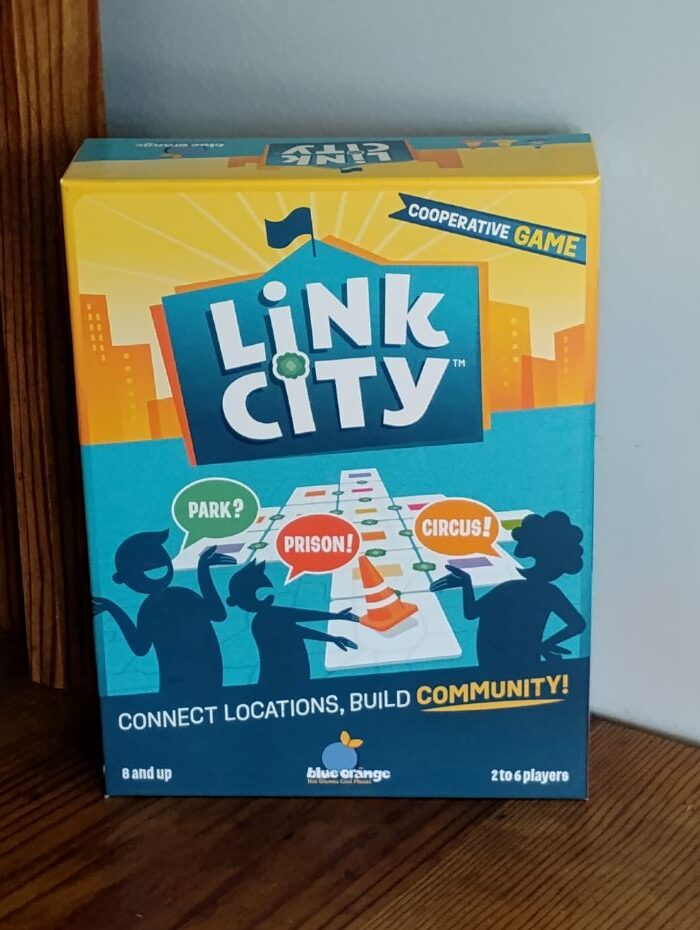
Blue Orange Games is a household name around here. They are known for imaginative, bright and engaging games for all ages. We had the chance to test drive one of their newer cooperative games called Link City. It’s quick to learn and doesn’t disappoint!

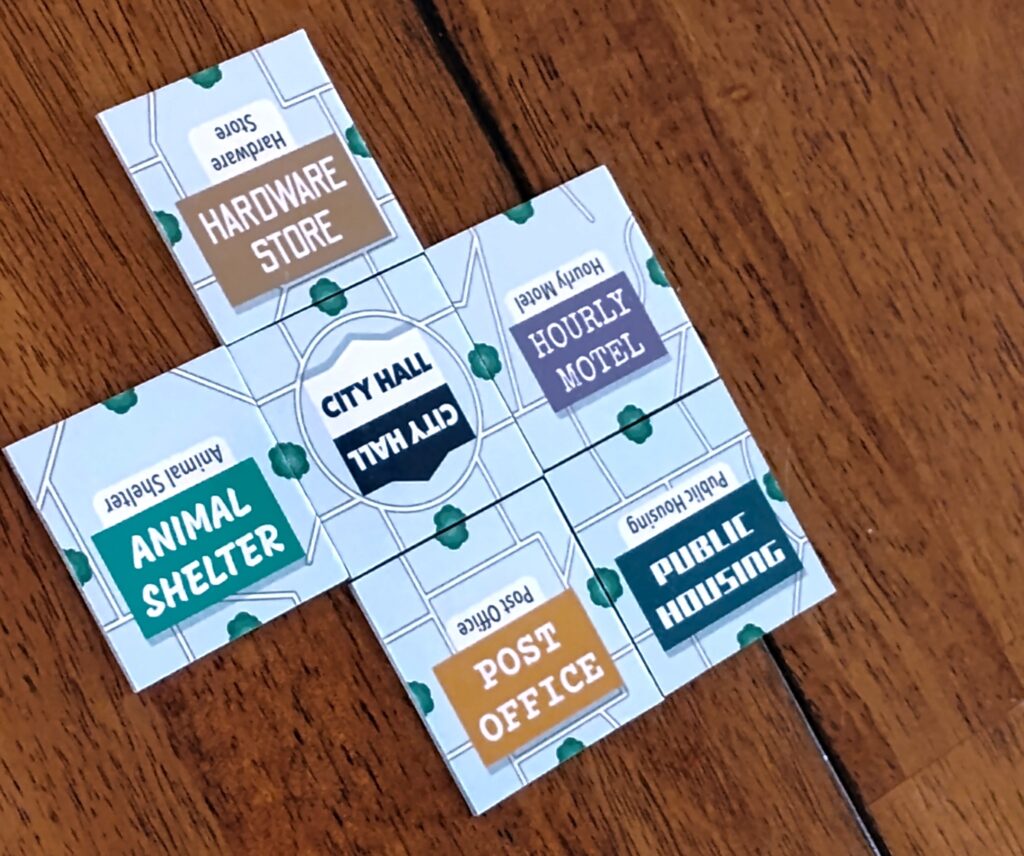
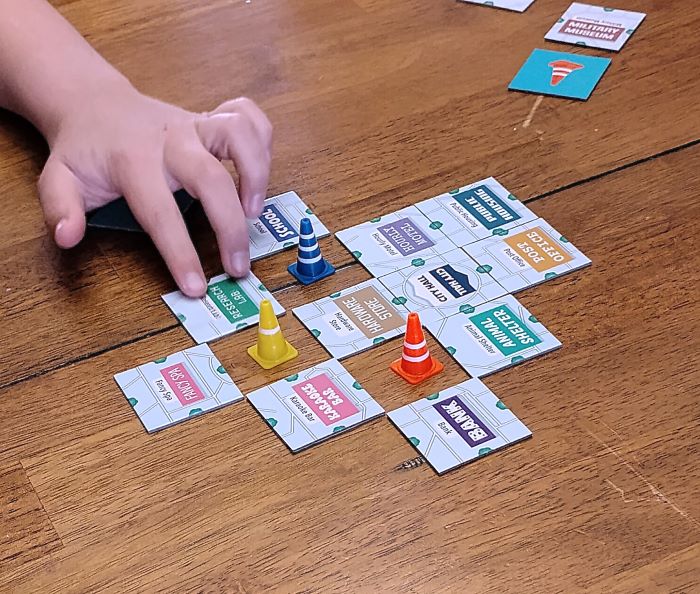
In this game, players work together to build a city using square tiles, endeavoring to guess what’s on the mayor’s mind. The key is placing like buildings adjacent to each other. Sometimes, it’s pretty obvious, like linking the post office and city hall together. But where do you put the tattoo parlor? Is that better suited to a discoteque or a fashion boutique?

Such are the questions that you must ponder as you “link” all of the pieces of your city together.

Link City tiles

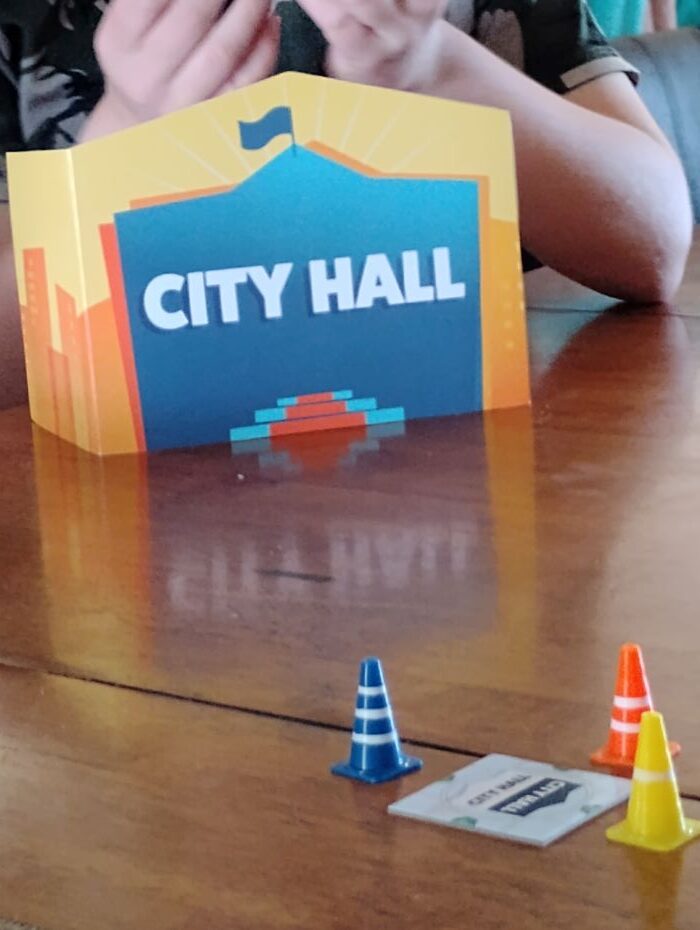
Gameplay is simple: The mayor secretly decides where he will place the newest buildings. His decisions are hidden behind a privacy screen and this sets the scene for each round. All other players must deliberate about the best placement, and it makes for some very interesting discussion!

Guesses are marked with colorful little road cones. Players can score bonus tiles by correctly guessing all of the mayor’s choices, and points are earned according to the number of little trees that are touching on adjacent tiles. When players guess incorrectly, the mayor places those tiles diagonally (touching at the corners); no points are awarded and may God have mercy on your soul! Actually, it just makes the city look at bit wonky and means it will be that much trickier the next round for players to decide where to place the newest batch of buildings.

Whatever the outcomes, you always end up with a one-of-a-kind city and plenty of banter and laughs. Cooperative games like this are ideal for families and mixed groups because there’s not a lot of pressure on each individual player, and everyone stays engaged for nearly the entire game.

If you’ve ever played Resistance or Codenames, you’ll know just what I mean about how satisfying it is to enter into the fun and soak up the laughs and heated opinions. It’s not so much about winning or losing as it about the experience!

The suggested age range for Link City is eight and up, but it’s crucial that young players can read well and understand the different types of buildings that might be in a town. These skills are necessary for game play, as the goal is to group similar venues together. For instance, a post office and a bank fit together better than a post office and a tattoo parlor!

Link City Specs:

Style: Cooperative, Social, Decision-Making
Ages: 8 and up
Players: 2-6 players

What’s in the Box:

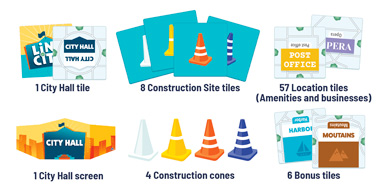
72 Tiles, 4 Construction Cones, 1 City Hall Screen and Full-Color Rule Book

You can find Link City and other “beautifully crafted games for the whole family” at Blue Orange Games;  also, follow on Facebook and sign up for their email newsletter so you’ll hear about the newest releases!


Filed Under: Home and Family Reviews Tagged With: Blue Orange Games, cooperative games, Link City, Link City review

Choosing the Right Sports Drink for Active Teenagers

April 29, 2024 by Anne Marie 10 Comments

When our son signed up for a homeschool basketball league, I did what a lot of other parents probably do: bought the gear he needed, including comfortable shoes and socks, and tucked the typical sports drink in his bag each time he went to practice.

During one of our shopping trips, Joseph walked up to me and stuck a brightly colored bottle in my hand. “Can I try this?” he asked. “It’s supposed to be better than the other drinks.” It was Body Armor, and while it does have coconut water and less of the not-so-great ingredients, there’s still a good deal of sugar. Turns out, when you starting reading labels, you’ll learn there are quite a lot of options when it comes to hydration.

Here are a couple of good alternatives to those that are loaded with sugar. These alternatives steer clear of artificial sweeteners as well, because research has shown that these chemicals can cause metabolic dysfunction.

Organic Electrolyte Drinks

These typically start with an organic coconut water base, then add on natural flavors, minerals, and some stevia for a touch of sweetness. Average calories per bottle: 30.  Brands include Nooma, Goodonya Hydrate, and ROAR.

Electrolyte drinks can be purchased in liquid form (pre-mixed), or as powders that you add to your own water bottle.

Fruit and Vegetable Juice

It’s not just for mixing up Bloody Mary’s!

The most popular plant-based sport drink is V8 Energy, made with a sweet potato juice base and Stevia for sweetening.

Launch Hydrate is also made with fruit and vegetable juices, with cane sugar as an added sweetener. It clocks in at 90 calories.

Knudsen Recharge starts with filtered water and derives its refreshingly sweet taste from fruit juices like apple, raspberry, pineapple and strawberry. It also contains a small amount of vegetable juice and a touch of sea salt.

Flavored Water

There’s no rule that says you have to get your electrolytes and/or minerals in a sports beverage. Many active people just prefer water and a banana. My favorite is Hint, which is just purified water and a “hint” of natural fruit essence.

If you opt for JUST Water, the cartons are refillable, which eliminates the waste of single-use plastic bottles and metal cans.

If your teenager doesn’t like wearing traditional socks, check out liner socks.
Our son really likes the no-slip, no-show style.

This post is a sponsored partnership is between Responsival and Zephyr Hill Blog.


Filed Under: Home and Family Reviews Tagged With: BODYARMOR, BODYARMOR review, healthy sports drinks, natural sports drinks

Starting 2023 on the Right Foot: A Handy Guide to Shoe Inserts

December 22, 2022 by Anne Marie 2 Comments

What do you do when a favorite pair of shoes lets you down? It might be a trouble spot that rubs your foot and causes blisters. Or your foot slipping forward in a pair of heels. Maybe they’re just plain worn out inside. While choosing good shoes is your best bet for happy feet, there are many options out there which can “rehabilitate” the ones you’re already wearing.

I created this guide to quickly help you find the right solution for shoe comfort problems.

Issue: Shoe rubs your foot

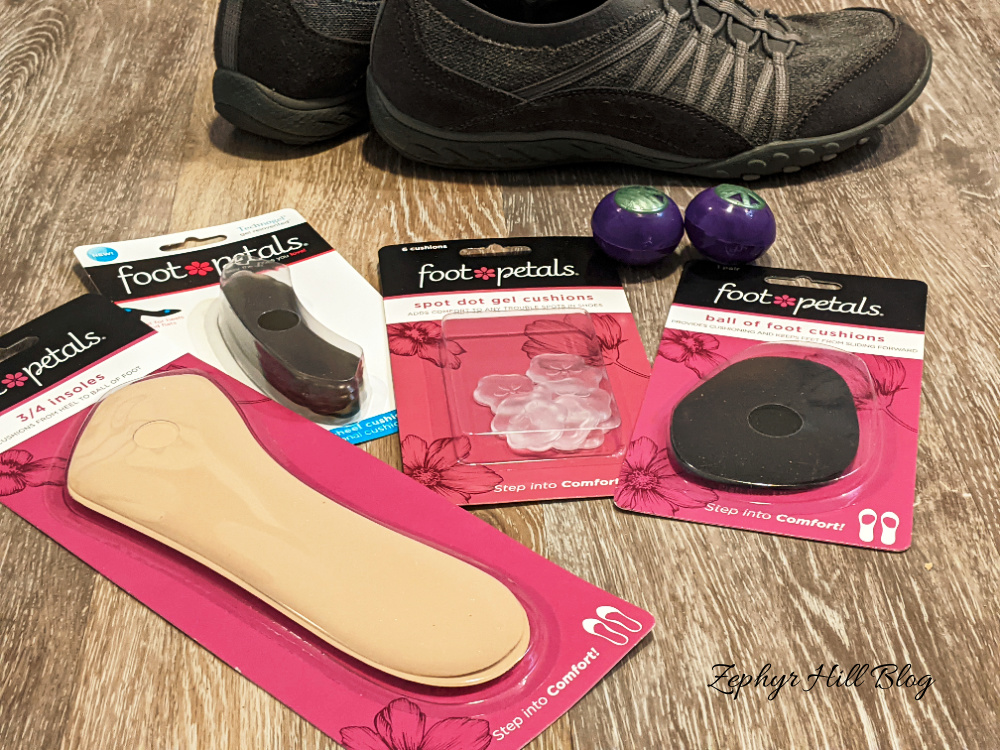
I liked my gray sneakers so much that I bought a second pair in black. Unfortunately, that second pair wasn’t exactly the same, and there was a spot on the side of my foot that rubbed constantly and caused blisters. I tried a “spot dot” and that eliminated the problem completely. It’s a little adhesive gel pad that you can stick wherever the problem is. If a shoe is rubbing you at the back, then try “back of heel” cushions.

Issue: Not enough support

If you’re experiencing overall discomfort/fatigue, then a foam insert can provide the support and relief that you need. You can choose a full size or 3/4 size if using in sandals or other open-toed shoes.

If the problem is right at the front of your foot, ball of foot cushions provide targeted relief. There are also cushions specifically for under your heel, or under the arch of the foot. For the absolute best in support, try “air gel” cushions; they are lightweight and yet provide excellent shock absorption.

Issue: The insides are worn

The inner part of a shoe sometimes wears out faster than the outside, especially if you’re talking about very well made leather shoes. In that case, the easiest way to refresh your favorite pair is with a full insole which are (thankfully) quite inexpensive. Be sure to strip out the old one first and toss it.

Issue: They need to be refreshed

Work boots, sneakers and any other shoe that you wear often or all day long can greatly benefit from a freshener. Drop these little odor-fighting balls into your footwear and let them work their magic overnight.

Issue: My feet slip and slide

This is a common problem with heels and sandals. If you’re foot keeps moving forward, try a no-slip grip which is applied right at the front of shoe.

If the issue is on the outside (i.e. a slippery sole), you can buy slip stoppers for that, too. This is especially important for wet, icy conditions.

Issue: Leaky shoes

Wet feet are the worst! If the seams in your shoes are loose or worn, applying a spray-on water repellent provides a seal against wetness. It will extend the life of your leather, suede and canvas shoes and keep your socks and feet nice and dry and comfortable.

If you found this guide to be helpful, please share.

And if you’re in the market for new shoes, check out these Amazon deals up to 50% off!


Our thanks to Responsival, who partnered with us on this post!

Filed Under: Home and Family Reviews

  • 1
  • 2
  • 3
  • …
  • 17
  • Next Page »

SOCIAL MEDIA

Newly Published

  • The Coop Upgrade Nobody Talks About Until It’s Too Late
  • Ignore the Radio Ads About Life Insurance, But Please Read This Post
  • Do Catholic Parents Have to Choose a Saint Name for Their Baby?
  • The BEST and Most Comprehensive Baby Name Books for Parents
  • Educational Games to Enjoy With Your Children

Popular Posts

  • My Home Birth Story: Full of Surprises
  • Organics by Ti Bamboo Flats Review & Giveaway
  • Home Schooling with Limited Space
  • 5 Ways to Handle Food Throwing and Messy Eating
  • Outside-the-Box, Delightful Gift Ideas for 2022

Copyright © 2026 · Zephyr Hill Blog · Design by Albemarle PR

Copyright © 2026 · Albemarle PR - Hannah Template on Genesis Framework · WordPress · Log in